LOW-RATE Season 1
CHECKING SERVER
0
IN GAME
Connect to PalPlay
Find us in Community Servers on PS5, Xbox, PC or Mac. PC and Mac can also use the direct address.
Find us in Community Servers
Search for the current server name below. The code in brackets helps you pick our server.
PalPlay season 1[799-325-874]
Find the server on PS5 and Xbox
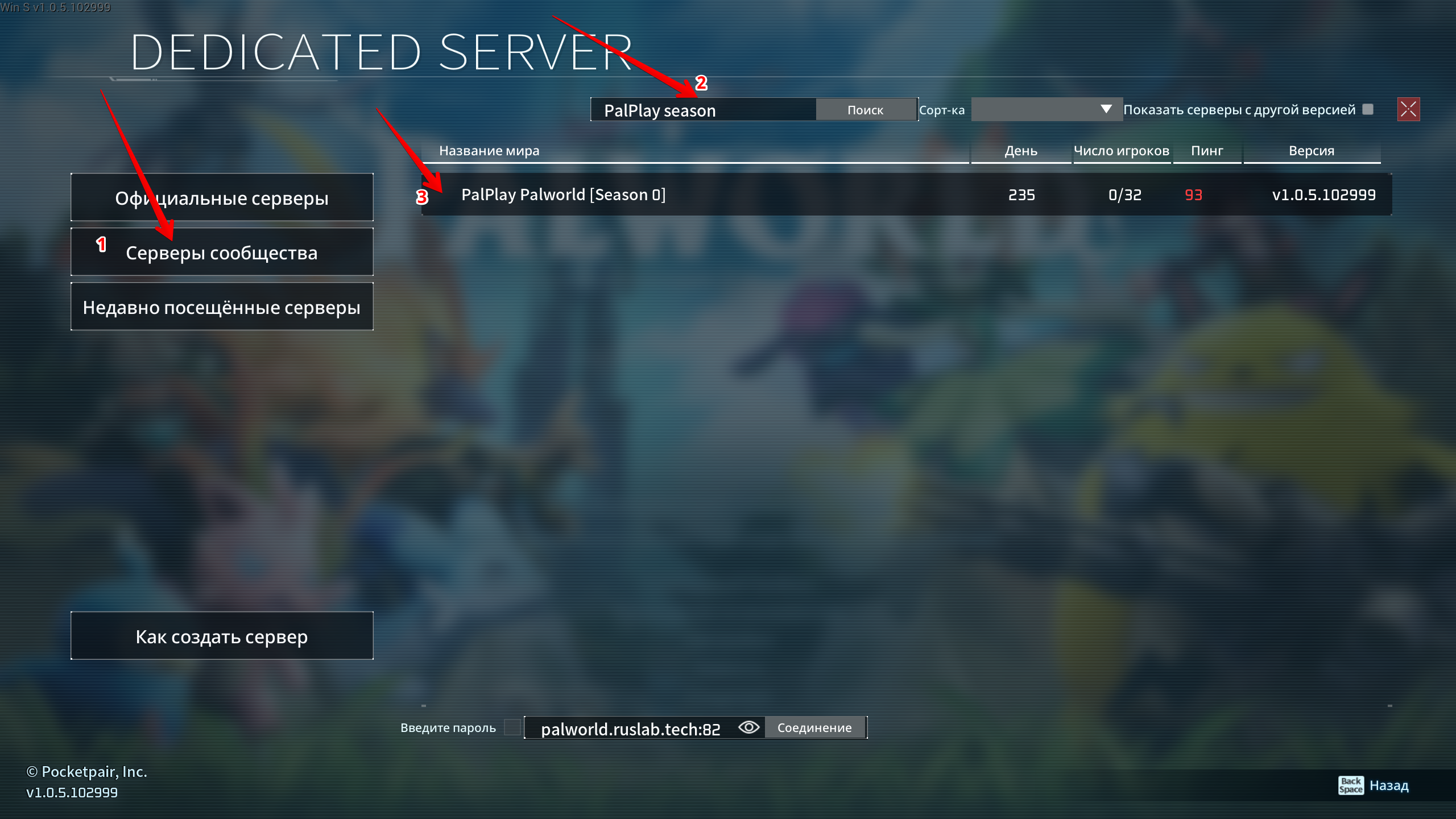
Community Server search works the same way on PC and Mac. Follow the arrows in these screenshots.
The screenshot shows an old name. Search for the current name: PalPlay season 1[799-325-874]
-
Open multiplayer
From the Palworld main menu, select the second option: Join Multiplayer Game (Russian: «Присоединиться к совместной игре»).

-
Open Community Servers and find PalPlay
Select Community Servers (1), enter the current name in Search (2), then choose PalPlay in the list (3).
-
Connect directly by IP · PC and Mac
On PC and Mac, enter the server address in the field at the bottom and select Connect. On PS5 and Xbox, use Community Server search.
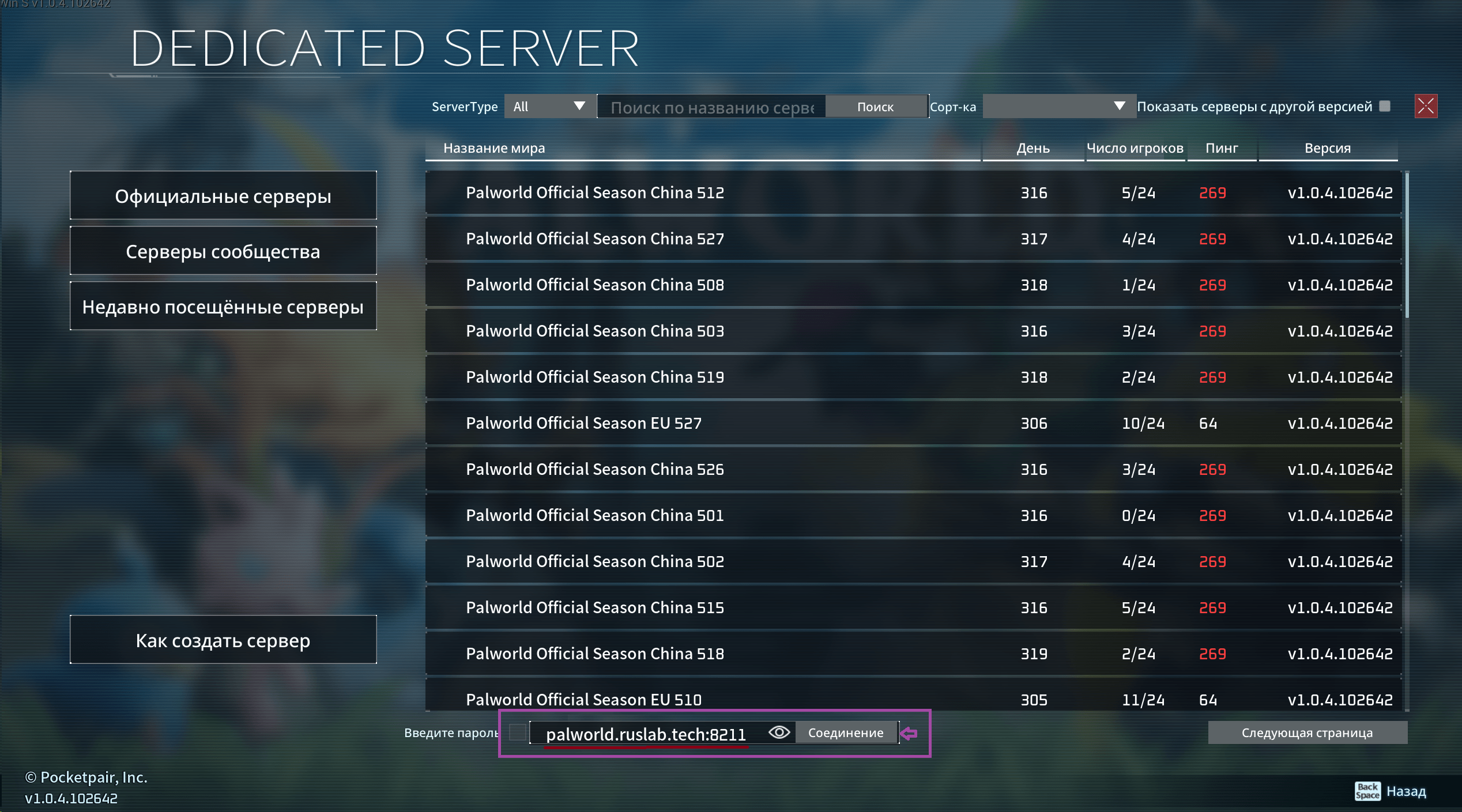
Direct join · PC and Mac
On PC and Mac, paste this address into the IP field. On PS5 and Xbox, use Community Servers.
45.129.3.105:8211
Project site: palworld.ruslab.tech. Use the game address and port above to join.